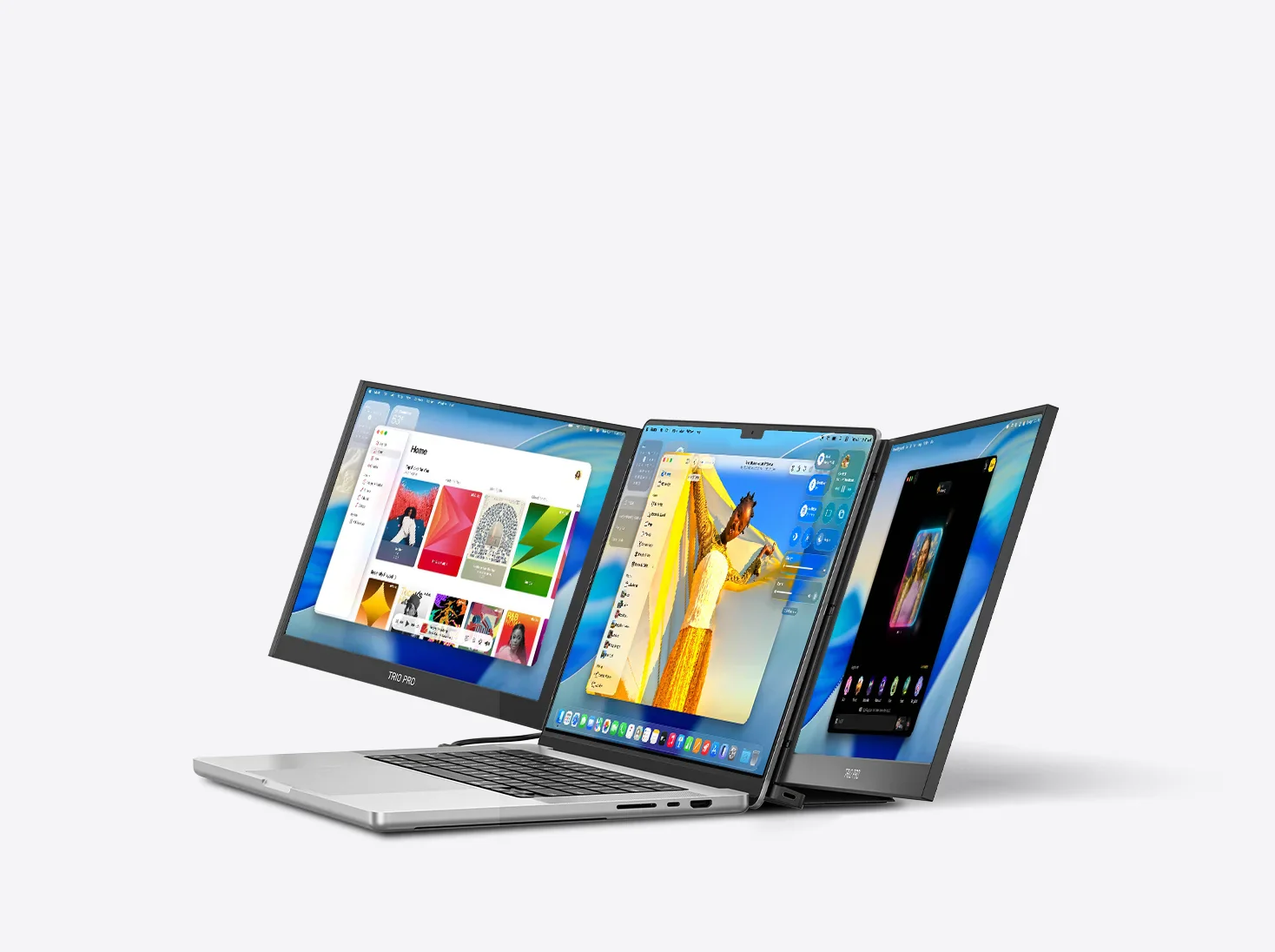
Modern work is no longer tied to a single desk or a fixed office. Remote jobs, hybrid schedules, digital nomads, students, and frequent travelers all face the same challenge: how to stay productive on a small laptop screen. Multitasking on one display slows work, strains the eyes, and makes even simple tasks feel inefficient. This is where portable monitors step in, and Mobile Pixels has built its entire product line around solving this exact problem.
Mobile Pixels designs lightweight, portable external monitors that attach to laptops or stand independently, giving users instant access to dual or even triple screen setups anywhere. In this article, we take a detailed look at Mobile Pixels, its most popular products, key benefits, real world use cases, and how it compares with other portable monitor solutions. If you are considering upgrading your mobile workspace, this guide will help you decide if Mobile Pixels is the right fit.
What is Mobile Pixels
Mobile Pixels is a technology brand known for its innovative portable monitor solutions designed primarily for laptops. The company focuses on plug and play monitors that expand screen space without requiring bulky stands or complex setups. Its products are widely used by professionals in remote work, finance, programming, design, education, and business travel.
The brand gained attention for its Trio series, which introduced slide out monitors that attach directly to the back of a laptop. Over time, Mobile Pixels expanded its lineup to include standalone portable monitors such as Duex, Geminos, and Glance, addressing different productivity needs and budgets.
Why portable monitors matter more than ever
Studies consistently show that multiple monitors increase productivity. Research cited in workplace productivity discussions often shows improvements of around 20 to 30 percent when users work with dual screen setups instead of a single display. The reason is simple: less window switching, better focus, and more efficient workflows.
For people who work on the move, traditional desktop monitors are not an option. Portable monitors bridge this gap by offering:
- Increased screen real estate without a fixed desk
- Better posture and reduced eye strain
- Faster multitasking for emails, documents, spreadsheets, and video calls
- A more consistent work setup whether at home, in a café, or on a plane
Mobile Pixels positions itself as a practical solution to these everyday productivity challenges.
Popular Mobile Pixels products and features
Mobile Pixels offers several monitor models, each designed for a specific type of user. Below is a breakdown of their most well known options.
Mobile Pixels Duex series
The Duex line is one of Mobile Pixels’ most popular offerings. These monitors slide out from behind your laptop screen and attach using a magnetic plate.
Key features include:
- Screen sizes typically ranging from 12.5 inch to 15.6 inch
- Full HD resolution for clear text and visuals
- USB C and USB A connectivity for broad compatibility
- Lightweight design for travel friendly use
- Options for left or right side extension
This series is ideal for professionals who want a second screen that feels integrated into their laptop rather than a separate device.
Mobile Pixels Trio and Trio Max
The Trio series takes productivity a step further by offering dual slide out screens that turn a laptop into a triple monitor setup.
Benefits include:
- Two external screens attached to a single laptop
- Improved workflow for complex tasks like coding, trading, or video editing
- Adjustable viewing angles for collaboration
- Strong appeal for power users who multitask heavily
For users who regularly work with large datasets, multiple dashboards, or creative tools, this setup can significantly reduce friction.
Mobile Pixels Geminos
The Geminos stands out as a dual stacked monitor solution rather than a travel monitor. It is designed for fixed desks but maintains the Mobile Pixels philosophy of space efficiency.
Notable features include:
- Two vertically stacked monitors
- Ergonomic neck friendly design
- Built in docking functionality on some models
- Ideal for developers, writers, and analysts
This option is best for users who want maximum vertical screen space without a wide desk footprint.
Mobile Pixels Glance
The Glance monitor is a more traditional standalone portable screen that connects via USB C or HDMI.
It is commonly used for:
- Business presentations
- Students and educators
- Gaming on the go
- Secondary displays for consoles or tablets
This model appeals to users who want flexibility without permanently attaching a screen to their laptop.
Real world use cases
Remote professionals and freelancers
A digital marketer can keep analytics dashboards open on one screen while managing campaigns and emails on another. This reduces constant tab switching and improves focus.
Business travelers
A consultant working from hotels or airports can instantly recreate a dual screen office setup without carrying heavy equipment.
Students and researchers
Notes, research papers, and video lectures can run simultaneously, making study sessions more efficient.
Developers and designers
Code editors, previews, and documentation can stay visible at all times, speeding up workflows and reducing errors.
Difference chart: Mobile Pixels vs other portable monitor options
| Feature | Mobile Pixels | Generic portable monitors | Tablet as second screen |
|---|---|---|---|
| Laptop attachment | Magnetic slide out options available | Usually standalone | Requires apps or mounts |
| Ease of setup | Plug and play | Plug and play | App dependent |
| Portability | Designed for travel | Portable but separate | Very portable |
| Screen integration | Feels built in | External stand | Limited |
| Multitasking efficiency | High | Medium | Low to medium |
| Price range | Mid to premium | Low to mid | Varies widely |
This comparison shows why Mobile Pixels appeals to professionals who value speed, integration, and convenience over the lowest possible price.
Key benefits of choosing Mobile Pixels
- Designed specifically for laptop users
- Strong focus on portability and ergonomics
- Multiple form factors for different work styles
- Minimal setup time with reliable connectivity
- Trusted by remote workers and frequent travelers
While Mobile Pixels products often cost more than basic portable monitors, the design and usability justify the investment for users who rely on productivity tools daily.
Things to consider before buying
Before choosing a Mobile Pixels monitor, consider the following:
- Laptop size and compatibility
- Whether you prefer an attached or standalone screen
- Your typical workload and number of apps used simultaneously
- Travel frequency and weight sensitivity
- Budget versus long term productivity value
Matching the product to your work style ensures you get the most benefit from the investment.
Conclusion: Is Mobile Pixels worth it
Mobile Pixels has carved out a strong position in the portable monitor market by focusing on real productivity problems rather than gimmicks. Its monitors are designed for people who work seriously on laptops and want a setup that adapts to their lifestyle, not the other way around.
If you are a remote professional, frequent traveler, student, or multitasker who feels limited by a single laptop screen, Mobile Pixels offers a well engineered solution worth exploring. Start by identifying how many screens you truly need and how often you work on the move, then choose the model that fits your workflow. A better screen setup may be one of the simplest ways to make every workday smoother and more efficient.